


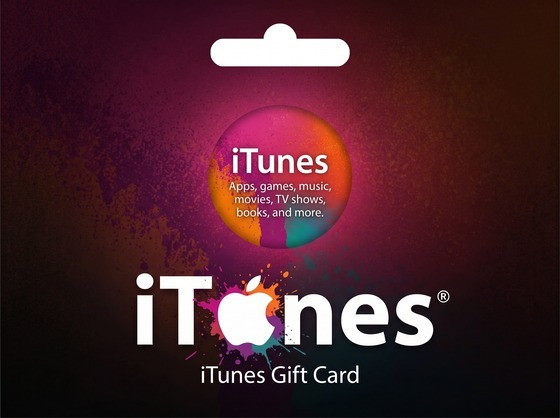

iTunes Gift Card US
Important note: This product is applicable for the US iTunes Store only. You will receive a redeem code. Delivery Time: 2-5 minutes.
US iTunes & App Store gift cards, bought with bKash
An iTunes gift card loads credit onto a US-region Apple ID. That balance covers everything Apple bills through the App Store: paid apps and games, in-app purchases, iCloud+ storage, Apple Music, Apple TV+, films and books. For anyone in Bangladesh without an international card, it is the most straightforward way to pay Apple at all.
Steam Store BD is an independent retailer. We are not Apple and not the App Store — we resell genuine US-region codes and take Taka through local wallets.
What people actually use it for
- In-app purchases and subscriptions that need a card on file — the balance pays instead of a card.
- iCloud+ storage when the free 5 GB runs out.
- Apple Music and Apple TV+ paid month to month from the balance.
- Paid apps and games that are not available to buy from a Bangladeshi Apple ID.
Region requirement
These are US-region codes, redeemable only on an Apple ID set to the United States. An Apple ID set to Bangladesh will reject them. Apple also requires your balance to be spent down to zero before you can change an account's country, so decide which region you are using before you top up.
How to redeem
On an iPhone or iPad, open the App Store, tap your profile picture, then "Redeem Gift Card or Code". On a Mac, open the App Store and choose Redeem Gift Card from the Store menu. You can also redeem at the Apple redeem page in any browser. The credit shows against your Apple ID immediately.
Codes arrive by email within minutes and stay in your order history here. Live stock is shown on each denomination, so you will never pay for a tier we do not have.
Redeeming your iTunes Gift Card is quick and easy. Follow the instructions below based on your device.
Redeem on iPhone or iPad
- Open the App Store on your iPhone or iPad.
- Tap your profile picture in the top-right corner.
- Select Redeem Gift Card or Code.
- Choose Enter Code Manually.
- Enter the iTunes Gift Card code you received.
- Tap Redeem.
- Your Apple ID balance will be updated instantly.
Redeem on Mac
- Open the App Store on your Mac.
- Click your name at the bottom of the sidebar or sign in to your Apple ID.
- Select Redeem Gift Card.
- Enter your gift card code.
- Click Redeem to add the balance to your account.
Important Notes
- Make sure your Apple ID region matches the gift card region.
- Redeemed funds are added directly to your Apple Account balance.
- Gift card codes can only be redeemed once.
- Keep your code secure and do not share it with anyone.
Prefer to order by chat?
Earn with referrals
Sign in to earn